Get started

Install in
under a minute.
Ready in 5 clicks

Download from Github, load the extention, and start browsing YouTube without Shorts.

Free Open source Manifest V3 Chrome & Opera
How to install
Pick your browser.

Same five steps either way — just a different address bar.

1
Download the code
On the GitHub repo page, click the green Code button, then Download ZIP. Unzip it somewhere you'll remember — your Desktop is fine.
2
Open the extensions page
Type chrome://extensions into the address bar and hit enter.
3
Turn on Developer mode
It's a switch in the top-right corner of the page. New buttons will appear once it's on.
4
Click "Load unpacked"
This button only shows up after Developer mode is enabled.
5
Select the unzipped folder
Pick the folder that has manifest.json inside it — not the ZIP file, and not a folder one level too deep.
6
Pin it and flip it on
Click the puzzle-piece icon in your toolbar, pin Shorts Remover, then click it and check the toggle says Enabled.
Last step
Make sure it's running.

Click the Shorts Remover icon in your toolbar. The popup should look like this:
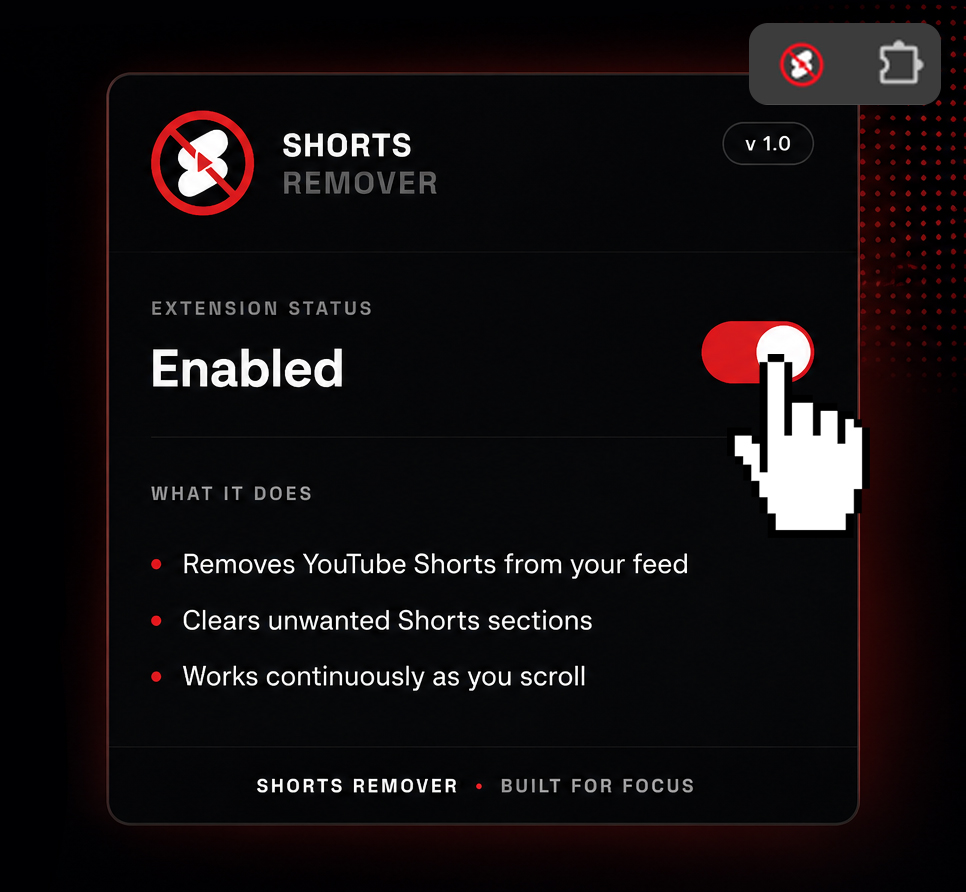
Shorts Remover popup showing the extension Enabled
Enabled, with the toggle lit up red
If it already says Enabled, you're done — open YouTube and Shorts should be gone. If it says Disabled, just click the switch.
If something looks off
Troubleshooting.
Don't see a "Load unpacked" button?
Developer mode has to be turned on first — that button only appears after you flip the switch in the top-right corner.
Browser warns about extensions "not from the store"
Expected. Anything loaded outside the Web Store or Add-ons store gets this heads-up — it's informational, not an error. Dismiss it and carry on.
Updating to a new version
Download the new ZIP and unzip it over the old folder, then click the refresh icon on the extensions page — or remove the extension and load it unpacked again.
Shorts still showing up after install
Refresh any open YouTube tabs — the extension only takes effect on tabs loaded after it's installed.
Get started
That's the whole
install process.

Free, no account, no Web Store wait — just download, load, and open YouTube.

Download from GitHub